Best Multi-Vendor Ecommerce Script 2026: Comparison Guide
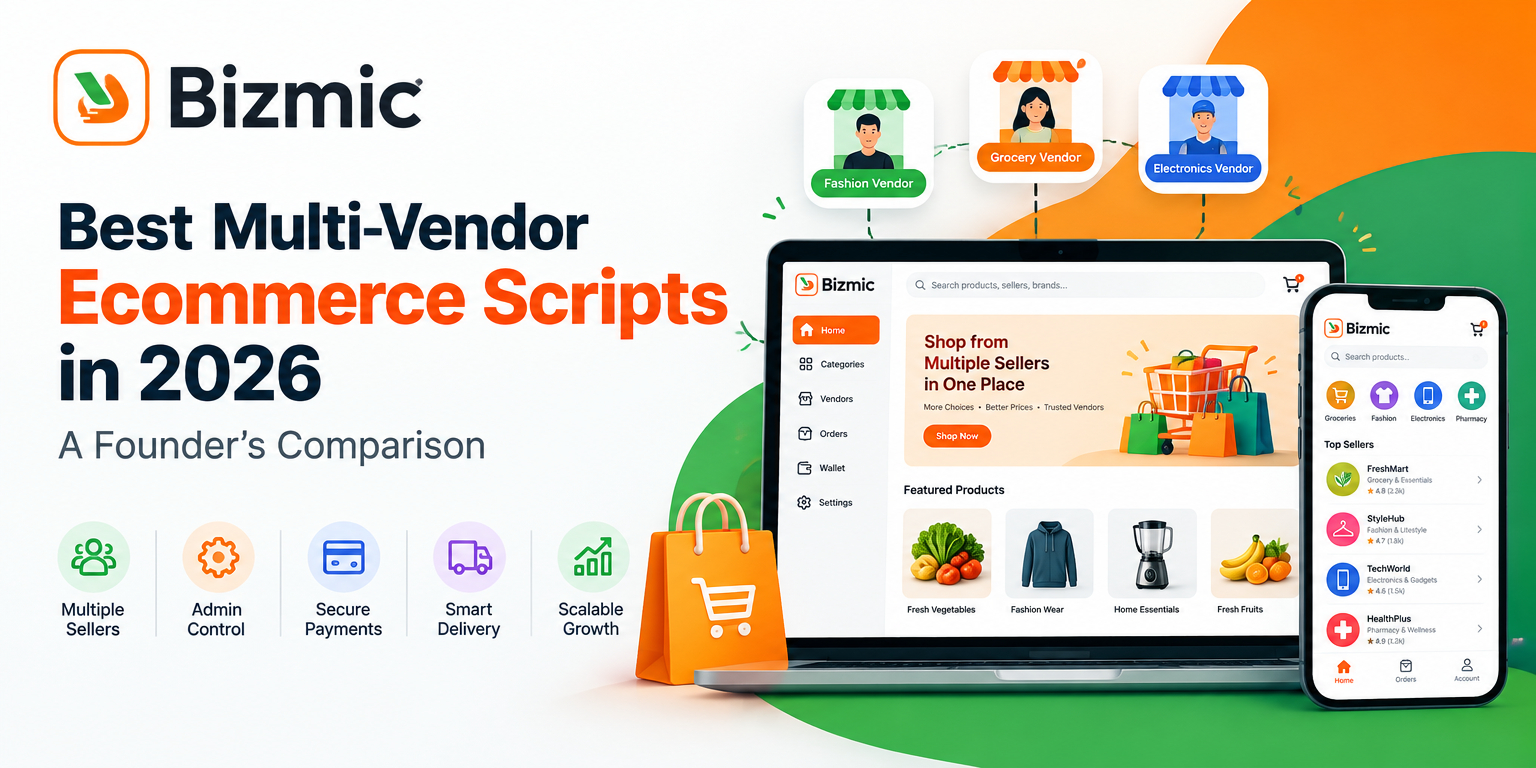
The best multi-vendor ecommerce script in 2026 is not one fixed product, it is whichever platform matches your business model, vendor management needs, technology stack, payment coverage, and budget. A grocery marketplace has different priorities than a fashion marketplace or a pharmacy platform, so evaluating a script means comparing it against your own requirements rather than a generic ranking.
This guide walks through how founders, developers, and agencies should actually compare multi-vendor ecommerce scripts in 2026: what a marketplace script needs to include, how admin, seller, customer, and delivery workflows differ, which technical and business factors matter most, and when a ready-made script makes more sense than custom development.
What Is a Multi-Vendor Ecommerce Script?
A multi-vendor ecommerce script is ready-made software that lets many independent sellers list and sell products through one shared marketplace, while a central admin controls policies, commissions, and platform-wide settings. It typically ships with an admin dashboard, individual seller panels, a customer-facing storefront, and built-in workflows for orders, payments, commissions, and vendor payouts.
A typical multi-vendor marketplace script is built around these core components:
- Marketplace model: many sellers operating under one platform instead of a single store
- Multiple sellers or vendors: each with their own catalog, orders, and settings
- Central admin: controls categories, commissions, zones, and platform policy
- Seller dashboards: where vendors manage products, orders, and promotions
- Customer storefront: the website or app customers browse and order from
- Order management: tracking each order from placement to delivery
- Payments: checkout, gateways, and transaction handling
- Commissions: the platform’s cut from each vendor sale, or a subscription fee instead
- Delivery: assigning and tracking orders through to the customer
- Vendor payouts: withdrawal and settlement of seller earnings
This is a different category from single-vendor, multi-branch software, which is built for one brand running several physical or online locations rather than many independent sellers. Businesses that run their own stores across branches, rather than hosting outside vendors, are usually better served by a single-vendor retail and ecommerce management platform instead of a marketplace script.
What Makes a Multi-Vendor Ecommerce Script Good in 2026?
A marketplace script earns the word good by how well it handles the operational reality of running a multi-vendor business, not by how many features are listed on a landing page. These are the criteria that carry the most weight.
Core marketplace architecture
- Multi-vendor architecture: sellers operate independently while the admin retains platform-wide control
- Admin dashboard: a single place to manage vendors, products, orders, payments, and reports
- Seller or vendor panel: lets vendors manage their own catalog and orders without contacting support
- Customer storefront: fast, clear, and easy to browse across device types
- Mobile apps: dedicated customer, seller, and delivery apps rather than a website alone
Operations and money
- Order management: a workflow that tracks status from placement through delivery
- Product and inventory management: bulk uploads, categories, and stock tracking per vendor
- Commission management: configurable rules per vendor, category, or store type
- Seller subscription management: an option to charge sellers a plan fee instead of, or alongside, commission
- Payment gateway support: enough coverage for your target market’s preferred payment methods
- Delivery management: zone setup, assignment, and tracking for orders in transit
- Vendor withdrawal and payout management: a clear, auditable process for paying sellers
Technical foundation
- SEO capabilities: clean URLs, editable metadata, and structured data support
- Performance and page speed: fast loading on both desktop and mobile connections
- Security: encrypted checkout, secure authentication, and a maintained update cycle
- Scalability: stable performance as vendors, products, and order volume grow
- API and third-party integrations: room to connect payment, delivery, or analytics tools
Reach, ownership, and support
- Multi-language support: serving customers in more than one language, including right-to-left scripts where relevant
- Multi-currency support: selling across more than one region without manual workarounds
- Customization options: the ability to adjust workflows and branding without a full rebuild
- Source code access: whether you receive and own the underlying code, not just a hosted license
- Documentation and installation support: guides that reduce dependency on the original developer
- Analytics and reporting: visibility into sales, commissions, and vendor performance
Best Multi-Vendor Ecommerce Scripts: What to Compare
Rather than chasing a fixed best of list, compare any script you are considering against the criteria below. This framework applies whether you are looking at an open-source project, a CodeCanyon script, or a hosted SaaS marketplace builder.
| Evaluation Factor | What to Check | Why It Matters |
|---|---|---|
| Technology stack | Whether the frontend and backend are modern, documented, and actively maintained | Affects update frequency, developer availability, and long-term flexibility |
| Admin panel | Whether admins can manage vendors, zones, and commissions without developer help | Fewer support tickets and faster day-to-day operations |
| Seller panel | Whether vendors can manage products, orders, and payouts independently | Keeps admin workload manageable as vendor count grows |
| Mobile apps | Whether customer, seller, and delivery apps are included or need separate development | Mobile-first buying behavior makes apps close to essential in many markets |
| Payment gateways | Which gateways are supported out of the box versus needing custom work | Directly affects checkout completion and regional reach |
| Commission and subscription system | Whether rules are configurable per vendor or category | Supports different revenue models as the marketplace matures |
| SEO and performance | Whether the storefront supports clean URLs, fast loading, and structured data | Impacts organic visibility and conversion from paid traffic |
| Scalability | How the system performs as vendors, products, and orders increase | Avoids a costly re-platform later |
| Source code and licensing | Whether you own the code or only hold a hosted license | Affects long-term control, customization, and your exit options |
| Documentation and support | Whether installation guides, API references, and update support exist | Reduces launch time and dependency on the original developer |
Ready-Made Multi-Vendor Script vs Custom Marketplace Development
Both paths can produce a working marketplace. The right one depends on how close a ready-made script’s workflows already are to what your business needs, and how much budget and time you have to close the gap.
| Factor | Ready-Made Script | Custom Development |
|---|---|---|
| Launch timeline | Typically the faster route, since core workflows already exist | Longer, since architecture and workflows are built from the ground up |
| Upfront cost | Generally lower upfront cost | Generally a higher upfront investment |
| Customization depth | Limited to what the codebase and modules allow | Bound mainly by budget and time, not by a template |
| Vendor and admin workflows | Already built and tested across other deployments | Designed specifically around your process from day one |
| Ownership | Depends on license, some scripts include full source code | Full ownership by default, since the code is built for you |
| Best fit | Founders who want to launch and validate a marketplace quickly | Businesses whose workflow does not fit any existing script |
A ready-made script tends to work well when your business model is close to a standard marketplace pattern such as grocery, food delivery, pharmacy, or general retail. Custom development earns its higher cost and longer timeline when your workflow, compliance needs, or integrations genuinely cannot be handled by an existing platform’s architecture.
Features Every Marketplace Founder Should Check Before Buying
Before committing to any script, run through these practical questions with the vendor or in the demo environment:
- Can vendors manage products independently, without admin involvement?
- Can admins control vendor permissions and approve listings before they go live?
- Is the commission structure configurable per vendor or category?
- Are seller subscriptions supported as an alternative to commission?
- Are vendor withdrawals and payout schedules built in?
- Is delivery management, including zone setup, included?
- Are customer, seller, and delivery mobile apps available?
- Which payment gateways are supported, and do they cover your target market?
- Is the source code included, or only a hosted license?
- Can the system be customized without breaking future updates?
- Is the storefront SEO-friendly, with clean URLs and editable metadata?
- Does the system support multiple languages, including right-to-left scripts if needed?
- Does it support multiple currencies for cross-region selling?
- Can it scale as vendor count, product count, and order volume grow?
- Are APIs available for future integrations?
- Is documentation provided for installation, configuration, and updates?
Quick Ecommerce by Bizmic: What It Offers
One example of a ready-made multi-vendor solution founders can evaluate against the criteria above is Quick Ecommerce, Bizmic’s React-based multi-vendor marketplace script built for grocery, food delivery, pharmacy, and general retail marketplaces. It ships as one connected package rather than separate tools that need to be stitched together.
Based on Bizmic’s official product page, Quick Ecommerce includes:
- An admin panel for managing vendors, products, orders, payments, and reports from a centralized dashboard
- A seller panel where vendors manage their own products, customers, and promotions
- A React-based, SEO-optimized customer website built for cross-device performance
- Dedicated customer, seller, and deliveryman mobile apps
- Commission settings configurable per store type
- A subscription module that lets sellers run stores on a subscription plan instead of commission only
- Zone-based delivery setup with an order confirmation and processing workflow
- Multi-currency and multi-language support, including left-to-right and right-to-left layouts
- A wallet module and withdrawal management for sellers and deliverymen
- Point-of-sale management for vendors selling both online and in person
- Reporting and analytics covering sales, commissions, and revenue
- Full source code, documentation, and installation packages, sold through CodeCanyon
As with any script, whether Quick Ecommerce or another option, the right choice depends on how closely its workflows match your specific business, so it is worth testing the demo panels against the checklist in the previous section before purchasing.
Who Should Use a Ready-Made Multi-Vendor Ecommerce Script?
A ready-made script tends to be a strong fit for these business types:
- Grocery marketplace: needs zone-based delivery and fast checkout more than deep customization
- Food delivery marketplace: depends on reliable order confirmation and live tracking out of the box
- Pharmacy marketplace: needs category-specific product management without custom development
- General retail marketplace: can launch quickly on standard catalog and order workflows
- Fashion marketplace: benefits from built-in variant and category management
- Electronics marketplace: needs serial number tracking and warranty records across vendors
- Local marketplace: prioritizes fast launch and low upfront cost over deep customization
- Multi-seller retail platforms: need vendor onboarding and commission tracking already built
- Startup marketplace founders: want a production-ready platform without a six-figure development budget
When Should You Choose Custom Marketplace Development?
Custom development becomes the more appropriate route once a business has requirements that no existing script’s architecture can reasonably support. This typically includes a checkout or subscription logic that off-the-shelf platforms cannot replicate, deep integration with an existing ERP, accounting, or inventory system, a product volume large enough to need a purpose-built database architecture, specific regulatory or compliance requirements, or a business model that does not fit a standard marketplace template at all.
Businesses in this position usually get a more reliable outcome from a team that offers custom product development from discovery through deployment, rather than trying to heavily modify a generic marketplace script after the fact.
How Much Does a Multi-Vendor Ecommerce Script Cost?
Pricing for multi-vendor ecommerce scripts and marketplace development varies widely by region, vendor, and scope, so this guide avoids fabricated price points. Instead, plan your budget around these cost factors:
- License: the one-time or subscription cost of the script itself
- Hosting: server capacity that can handle vendor, customer, and delivery app traffic together
- Installation: setting up the admin panel, database, and initial configuration
- Customization: adapting workflows, branding, or modules beyond the default setup
- Mobile apps: publishing and maintaining customer, seller, and delivery apps on app stores
- Payment integration: connecting and testing the gateways your market needs
- Third-party APIs: mapping, SMS, or analytics services with usage-based fees
- Maintenance: ongoing bug fixes and platform updates
- Support: response time and coverage for post-launch issues
- Development: any additional features built beyond what the script includes
- Security: hardening, monitoring, and patching over time
- Scaling: infrastructure upgrades as vendor and order volume grow
For a detailed breakdown of typical price ranges by project type, including single-vendor, custom, and multi-vendor marketplace builds, see this guide to ecommerce website development cost, which covers both one-time and recurring expenses in more depth.
How to Choose the Right Multi-Vendor Ecommerce Script in 2026
Work through this checklist in order before making a purchase decision:
- Define your marketplace business model: grocery, food delivery, pharmacy, fashion, or general retail
- Identify vendor requirements: onboarding, product limits, and payout expectations
- List customer requirements: browsing, checkout, and delivery expectations
- Check admin capabilities: what the admin can configure without developer help
- Evaluate the technology: how modern and well-documented the stack is
- Check integrations: payment gateways, SMS, maps, and analytics tools
- Test performance: load a demo store and check real-world page speed
- Review source code and licensing: confirm exactly what you own after purchase
- Evaluate customization: what can change without breaking future updates
- Check support and documentation: installation guides, API references, and response times
- Test the demo: click through the admin, seller, and customer experiences yourself
- Calculate total ownership cost: license plus hosting, apps, integrations, and maintenance
Frequently Asked Questions
More Posts
- Readymade Marketplace Website in Bangladesh: Complete Guide
 Shiblur Rahman Lipu
 - Vendor Management System for Ecommerce: Complete Guide
 Shiblur Rahman Lipu
 - Best Multi-Vendor Ecommerce Script 2026: Comparison Guide
 Shiblur Rahman Lipu
 - Custom Ecommerce Website Price in BD: A Complete Cost Guide
 Shiblur Rahman Lipu
 - Ecommerce Website with bKash and Nagad Integration: Complete Guide for Bangladesh
 Shiblur Rahman Lipu
Stay Connected
for Newsletter

We build software that helps businesses launch faster, operate smarter, and grow bigger.


Get Help