How to Build a Marketplace Like Daraz or Amazon (Step by Step for Non Coders)
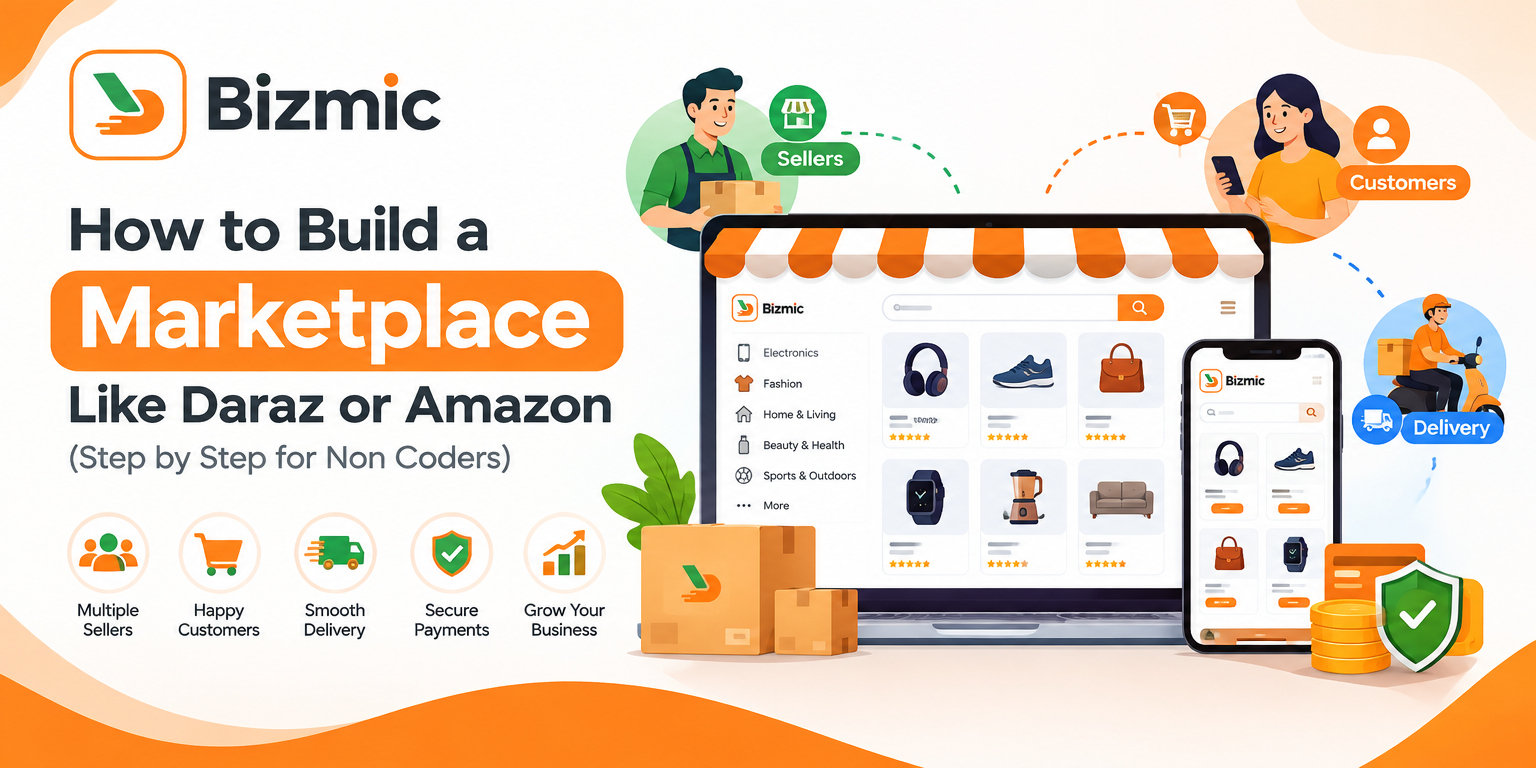
A multi-vendor marketplace is an online platform where many independent sellers list and sell products to customers through one shared storefront. Amazon and Daraz are two well known examples. The platform owner usually does not own the inventory. Instead, it brings sellers and buyers together, manages the shopping experience, and earns money from the activity that happens on the platform.
If you are researching how to build a marketplace like Daraz or Amazon, the short answer is this: choose a focused niche, decide how sellers join and how you earn, pick a technology route that fits your budget and timeline, launch a lean version with a small group of vendors, and expand based on real demand. You do not need to write code yourself, and you do not need to copy every feature of a global giant.
An ordinary ecommerce store is a single vendor store. One business owns the products, sets the prices, packs the orders and receives the payment. A marketplace works differently. Many sellers manage their own catalogs, prices and stock, while the platform handles discovery, checkout, rules, commissions and often delivery coordination.
Entrepreneurs like this model because it can grow a catalog without buying inventory and can earn from many sellers at once. Many founders also see room for a marketplace focused on one city, language or product category that large platforms serve only in a general way.
One expectation is worth setting early: a marketplace is a business ecosystem, not just a website. You will be recruiting sellers, earning customer trust, handling payments and disputes, and coordinating delivery. Software supports all of that, but it does not replace it. This guide explains the process in plain language, even if you have never written a line of code.
What Is a Multi-Vendor Marketplace?
A multi-vendor marketplace is an ecommerce marketplace where several independent vendors sell through a single platform owned by a marketplace operator. Customers shop in one place, but the orders may be fulfilled by different sellers. The operator sets the rules, provides the technology and takes a share of the revenue.
Every marketplace, whether it is a global Amazon marketplace or a regional Daraz marketplace, is made of the same building blocks:
- Admin: the platform owner or team that approves sellers and products, sets commissions and resolves disputes.
- Sellers or vendors: businesses or individuals who list products, manage stock and fulfill orders.
- Customers: the buyers who search, pay and leave feedback.
- Delivery partners: couriers, platform riders or the sellers themselves.
- Products and orders: the catalog (categories, variations, prices, stock) and the record of what was bought, from whom and at what stage.
- Payments: cards, mobile wallets or cash on delivery.
- Commissions and seller payouts: the share of each sale the platform keeps, and the process of paying sellers what they have earned.
- Reviews and ratings: the trust layer that helps customers choose and helps good sellers stand out.
These parts depend on each other. Late payouts or unreliable delivery, for example, damage trust on both sides.
How Does a Marketplace Like Amazon or Daraz Work?
The basic flow of a marketplace is: Customer, Marketplace, Seller, Order Processing, Delivery, then Payment and Payout. Here is what happens at each stage:
- Customer: browses categories, searches for a product, adds it to the cart and checks out.
- Marketplace: records the order, collects the payment and splits the order by seller if several sellers are involved.
- Seller: receives a notification, confirms the order, then prepares and packs the items.
- Order processing: the order status updates, stock is reduced and invoices or receipts are generated.
- Delivery: a courier, a platform rider or the seller delivers the parcel while the customer follows the status.
- Payment and payout: after delivery, the platform deducts its commission and fees and releases the remaining amount to the seller.
How Marketplace Owners Make Money
A marketplace can earn from several revenue streams. Most successful platforms combine two or three rather than relying on one:
- Commission: a percentage of each sale, often varying by category.
- Seller subscriptions: a monthly or yearly plan that gives sellers access to the platform, sometimes with different tiers.
- Listing fees: a charge for publishing products or for premium listing slots.
- Delivery fees: charges paid by customers or sellers for delivery or fulfillment services.
- Advertising and promoted products: sellers pay for better placement in search results, categories or the homepage.
- Other revenue models: featured seller programs, payment service fees where permitted, and premium business tools.
To see how a large marketplace structures seller costs, review the information on Amazon’s seller site. Treat it as a reference for the concept, not as a template to copy exactly, because your market, margins and seller expectations will be different.
How to Build a Marketplace Like Daraz or Amazon: 18 Steps
Building a marketplace like Daraz or Amazon does not mean copying every feature those companies offer. It means learning from their business principles, then adapting them to a focused market. Use the 18 steps below as a planning framework.
Step 1: Choose the marketplace business model
Decide who sells to whom: businesses to consumers (like Daraz), individuals to individuals, businesses to businesses, or local stores to nearby customers. This choice shapes every later decision.
Step 2: Select a niche or product category
Amazon itself began with a narrow product focus before it widened its range. Pick a category where you can recruit sellers quickly and where existing platforms leave a gap, such as local grocery, electronics or regional fashion.
Step 3: Define your target customers
Write down where they live, which devices they use, how they prefer to pay and what delivery speed they expect. City shoppers and small town wholesale buyers need very different experiences.
Step 4: Decide how vendors will join the platform
Choose between open registration with approval, invite only onboarding or paid memberships. For a new marketplace, approval based onboarding protects quality. Decide which documents sellers must provide.
Step 5: Define commission and revenue structure
Choose commission, subscriptions, listing fees, advertising or a mix. Test the numbers from the seller side: if fees leave very thin margins, sellers will leave.
Step 6: Plan the marketplace features
List every feature you can imagine, then divide them into must have and nice to have. The MVP section below shows how.
Step 7: Choose between custom development and ready made marketplace software
Custom development gives maximum control but takes longer and costs more. Ready made software gets you to launch faster but may need adjustments. The comparison sections below cover both.
Step 8: Build or configure the admin panel
Your control room should handle seller and product approval, categories, commissions, orders, payouts and reports, with roles so staff see only what they need.
Step 9: Build or configure the seller or vendor panel
Sellers should add products, update stock, manage orders and request withdrawals without help. A complicated seller experience is one of the quickest ways to lose vendors.
Step 10: Build the customer facing website or app
Customers need fast search, clear product pages and a short checkout. Design for mobile first. A responsive website is enough for many launches, and apps can follow once demand is proven.
Step 11: Set up payment gateways
Offer the methods your customers already trust, such as cards, mobile wallets or cash on delivery. Marketplaces also need to split payments between platform and sellers. Stripe describes marketplace tools in its Stripe Connect documentation, though availability depends on your country, so verify it first.
Step 12: Set up delivery and order management
Decide whether sellers ship, you assign couriers, or you run your own riders. Define zones, fees, status updates and returns. Weak delivery is a common reason marketplaces lose customers.
Step 13: Implement product, inventory and category management
A clean catalog makes search and filtering work. Set rules for titles, images, variations and stock, and add a product approval step so poor listings do not reach customers.
Step 14: Implement seller payouts and commission management
Commission should be calculated automatically, with clear earnings statements for sellers. Set a payout schedule with a holding period that covers returns. Manual spreadsheets create disputes.
Step 15: Add security, roles and permissions
Protect customer data, payments and seller accounts with secure hosting, encrypted connections, backups and role based access. Never give every team member full admin rights.
Step 16: Test the marketplace
Run complete test orders from both sides: order, seller confirmation, delivery and payout. Test refunds, cancellations, coupons and different phones and browsers.
Step 17: Launch with an initial group of vendors
Start with a small number of sellers you can support personally. A small catalog of reliable sellers beats a large catalog of unreliable ones.
Step 18: Scale the marketplace based on real user demand
Watch what customers search for, what sellers ask for and where orders get stuck. Add categories, vendors and features in the order that real data supports.
Essential Features of a Marketplace Like Daraz or Amazon
A feature list is only useful if you understand why each feature exists. The features below are grouped by the job they do for your marketplace.
Control and Operations
These features let you run the platform without chaos.
- Admin dashboard and reports: one view of sellers, orders, payments, sales and refunds, so decisions come from data.
- Roles and permissions: limit what each team member can change, which reduces mistakes and risk.
- Commission management: sets fees by category or seller type, so your revenue model is enforced automatically.
Seller Tools
Sellers are your supply. If their tools are painful, your catalog stays small and quality suffers.
- Seller dashboard and product management: orders, stock and earnings in one place, with product approval so you keep quality under control.
- Seller subscriptions: an alternative or addition to commission that gives predictable income.
- Withdrawals and payouts: transparent earnings build seller trust.
Shopping Experience
Customers decide in seconds whether a marketplace feels easy and trustworthy.
- Categories, search, filters, cart and checkout: help shoppers find an item and pay with little friction.
- Multiple payment methods and customer accounts: shoppers complete more orders when they can pay their way and reorder easily.
- Coupons, flash sales, reviews and ratings: promotions drive traffic, and social proof builds trust in sellers customers have never met.
- Multi language and multi currency support: important if you serve different regions or language groups.
Orders, Delivery and Support
Orders are where promises are kept or broken.
- Order and delivery management: tracks each order from placement to delivery or return, with zones and courier assignment.
- Notifications and customer support: clear updates and a ticket or chat system reduce anxiety and support workload.
Growth, Visibility and Trust
A marketplace needs to be found and trusted.
- SEO functionality: editable titles, descriptions and clean URLs. Google’s SEO Starter Guide explains the basics, and its product structured data documentation shows how to describe product details to search engines.
- Mobile responsiveness: Google primarily uses the mobile version of a page for indexing, as its mobile first indexing guide explains, so a poor mobile experience can hurt users and visibility.
- Security: protects customer data, payments and your reputation.
Technology Options for Building a Marketplace
There are four main technology routes for a marketplace website development project. Each fits a different stage and budget.
1. Custom Marketplace Development
A development team designs and builds the platform from scratch around your exact requirements. Advantages: maximum flexibility and control. Limitations: longer timelines, higher upfront cost, and the risk of building features before demand is proven. Best for: well funded businesses with unusual workflows. Bizmic describes this kind of work on its custom product development page.
2. Ready Made Multi-Vendor Marketplace Scripts
A script is a prebuilt software package that you install on your own hosting and configure for your business. Advantages: faster launch, lower initial cost and a tested feature set. Limitations: you start with the provider’s structure, so unusual needs may require customization. Best for: validating an idea quickly.
One example is Bizmic Quick Ecommerce, a React based multi-vendor marketplace solution. According to its product page, it includes an admin panel, seller panel, customer app, store app and delivery app, along with marketplace capabilities such as seller management, commissions, subscriptions, zones, payments, order management, reports and product management. If you are comparing a ready to use multi-vendor marketplace platform with a custom build, a package like this shows how much of the core marketplace you may get without starting from zero. The page also states that it is sold as a complete script with source files, documentation and installation packages. Whether it fits depends on your category, country and workflow, so review the demos before deciding.
If you choose a script, ask about adjustments early. Bizmic lists customization services and installation services for its products, which is the kind of support a non technical founder should look for from any provider.
3. SaaS Marketplace Platforms
A SaaS platform is a hosted service. You pay a recurring subscription and the provider runs the software for you. Advantages: very fast setup and low technical effort. Limitations: less control over code and data, fees that grow with usage, and limited deep customization. Best for: testing a simple idea.
4. Ecommerce Platforms With Multi-Vendor Extensions
Some general ecommerce platforms can become marketplaces through plugins or extensions. Advantages: familiar tools and a large ecosystem. Limitations: extensions sit on top of a system designed for one seller, so payouts, seller subscriptions and zone based delivery may need extra work. Best for: small marketplaces with simple requirements.
Ready Made vs Custom Marketplace Development
Neither approach is always better. The right choice depends on your budget, timeline, how unusual your requirements are and how much validation you already have. This comparison shows the general differences:
| Factor | Ready made marketplace software | Custom marketplace development |
|---|---|---|
| Development time | Shorter, because core features already exist | Longer, because everything is designed and built |
| Initial cost | Usually lower upfront | Usually higher upfront |
| Customization | Good within the product’s structure, extra work for unusual needs | Highest, built to your specification |
| Scalability | Depends on the product and hosting setup, so check with the provider | Depends on architecture quality, can be planned for growth |
| Maintenance | Updates and fixes may come from the provider, you still need hosting and support | Your team or agency maintains everything |
| Source code ownership | Depends on the license, so read it carefully | Usually defined by contract, confirm ownership in writing |
| Features | A broad set available from day one | Only what you specify and fund |
| Integrations | Common integrations may exist, unusual ones may need development | Any integration can be built if budget allows |
| Launch speed | Faster | Slower |
| Long term flexibility | Good, if customization options and source access are available | Excellent, with full control of the roadmap |
Which Option Suits Which Business?
- Ready made suits founders validating a new marketplace, limited budgets and fast launches.
- Custom suits unique workflows, strict compliance needs or complex integrations.
- A hybrid path works for many: launch ready made, learn from real users, then customize or rebuild parts.
Whichever route you choose, a technical consultation before you commit is worth the time. Bizmic offers IT consulting and API integration services that cover this type of decision.
How Much Does It Cost to Build a Marketplace Like Amazon or Daraz?
There is no honest single price. The cost of building an online marketplace depends on scope, and scope varies enormously. A focused MVP using ready made software can cost a small fraction of a full custom platform with its own apps. Be cautious about any provider that quotes a fixed price before understanding your requirements.
These are the main cost factors to discuss with any provider:
- Features and scope: more features mean more design, development and testing.
- Web only or web plus mobile apps: apps for customers, sellers and delivery partners add cost.
- Custom UI and UX: a unique design costs more than a configured theme.
- Payment and delivery integrations: each gateway or courier connection needs setup and testing.
- Vendor management and commission system: flat rates are simpler than tiers, categories and subscriptions.
- Product and catalog complexity: variations, attributes, bulk uploads and imports.
- Third party APIs: maps, SMS, email, analytics and social logins.
- Security requirements: secure hosting, audits and backups.
- Development team: rates differ by country and by whether you use a freelancer, agency or in house team.
- Maintenance and hosting: ongoing costs for updates, support and servers.
Ask for an itemized quote that separates one time costs from monthly costs. Also ask what is included after launch, because maintenance is part of the real cost of owning a marketplace.
How Long Does It Take to Build a Marketplace?
The timeline depends on the technology route and scope. A configured ready made marketplace can launch much faster than a custom build, but both need time for planning and testing. These are the realistic stages:
- Planning: define the business model, niche, revenue model and feature list.
- UI and UX design: plan the customer, seller and admin journeys.
- Development or configuration: build the platform or install and configure the software.
- Integrations: connect payments, SMS, email, maps and delivery tools.
- Testing: check full order flows, payouts, security and devices.
- Launch: onboard the first sellers, load products and open to customers.
- Post launch improvements: fix issues and release improvements in small steps.
Marketplace projects take longer than ordinary ecommerce websites because they serve several user types at once: admin, sellers, customers and delivery partners. They also involve split payments, commissions, payouts and more complex order flows. Each additional connection between these parts needs testing.
How Non Coders Can Start a Marketplace
You do not need to become a programmer to launch a marketplace. Your job as a founder is to understand the business, make decisions and manage the people and tools that build it. A practical path looks like this:
- Validate the business first. Talk to potential sellers and customers before choosing software.
- Pick a niche. A narrow, well understood market is easier to serve and market.
- Use ready made technology where it fits. It reduces cost and time.
- Work with developers or technology providers who explain things clearly and support you after launch.
- Start with an MVP that includes only what a real transaction needs.
- Onboard a manageable number of vendors and support them personally.
- Collect feedback and improve gradually. Fix what slows sellers and customers down first.
Non technical founders can still ask technical questions: who owns the source code, where it is hosted, how backups work and what happens when a payment fails. Good providers answer in plain language.
Common Mistakes When Building a Marketplace
- Trying to copy Amazon completely at launch: Amazon took years and large teams to reach its scope. Copy the principles, not the feature count.
- Building too many features before validating demand: unused features still cost money to maintain.
- Ignoring vendor onboarding: a marketplace with empty shelves does not attract customers.
- Poor commission structure: fees that are too high drive sellers away, and fees that are too low leave no budget for growth.
- Weak delivery operations: late or damaged orders hurt the marketplace brand, not just the seller.
- Complicated seller experience: sellers who cannot figure out the dashboard will not stay.
- Poor mobile experience: many customers shop on phones, so awkward mobile pages lose sales.
- Ignoring SEO: plan page structure, titles and product information from the start.
- Ignoring customer support: buyers and sellers need a clear way to resolve problems.
- Not planning for scalability: choose technology that can grow without a complete rebuild.
- Choosing technology only because it is cheap: the lowest price can become expensive when features are missing or support is poor.
How to Launch a Marketplace MVP
A marketplace MVP is the smallest version of your platform that lets real sellers and real customers complete real transactions. The aim is to learn quickly, not to impress anyone with features.
Must Have Features
- Admin panel with seller approval, product approval, order monitoring and commission settings
- Seller panel for products, stock, orders and earnings
- Customer website that works well on mobile, with registration or guest checkout
- Category structure, product pages, search and basic filters
- Cart and a simple checkout
- At least one trusted payment method that fits your market, such as cash on delivery or a local gateway
- Order management with clear statuses
- A workable delivery process, even if it starts with a small zone
- Commission calculation and a clear payout process
- Order notifications for customers and sellers
- Basic security, roles and backups
- A way for customers and sellers to contact support
Nice to Have Features
- Flash sales and campaign tools
- Seller subscription plans
- Multi language and multi currency support, unless your launch market needs them at once
- Advanced analytics and reports
- Dedicated mobile apps
- Live chat between buyers and sellers
- Advertising and promoted listings
- Loyalty points, wallets and referral programs
Founders can launch faster without hurting the core experience by protecting the path that earns trust: a seller lists a product, a customer finds it, pays, receives it, and the seller is paid correctly. Everything that does not support that path can wait.
How to Scale a Marketplace After Launch
Once the first transactions work, growth is about balancing supply and demand:
- Vendor acquisition: reach out to sellers directly, offer onboarding help and explain the benefits of selling on your platform.
- Customer acquisition: use SEO, content, social media, paid ads and partnerships. Bizmic describes related support on its SEO and growth services page.
- Product expansion and better search: add categories only when sellers can serve them well, and improve search and filtering as the catalog grows.
- Analytics and automation: track conversion, cart abandonment and seller performance, and automate notifications, payout calculations and routine replies.
- Mobile apps: build them when mobile traffic and repeat purchases justify it. Bizmic lists mobile app development among its services.
- Delivery optimization: refine zones, delivery times and courier performance.
- Seller subscriptions and commission optimization: introduce paid plans once sellers see value, and review rates by category using real data.
- Marketing automation: use email, SMS and app notifications for abandoned carts and repeat customers.
- Infrastructure scaling: upgrade hosting, caching and monitoring as traffic grows, supported by ongoing maintenance and support.
Final Thoughts
Learning how to build a marketplace like Daraz or Amazon is mainly about building trust between sellers, customers and your platform. Start with one niche, one clear revenue model and a small group of reliable vendors, choose technology that matches your stage, and improve step by step using what real users show you.
Amazon and Daraz are useful examples of marketplace business models, but they are separate companies and this guide has no affiliation with either. Your goal is not to duplicate them. It is to build a marketplace that serves your market better.
Frequently Asked Questions
More Posts
- Readymade Marketplace Website in Bangladesh: Complete Guide
 Shiblur Rahman Lipu
 - Vendor Management System for Ecommerce: Complete Guide
 Shiblur Rahman Lipu
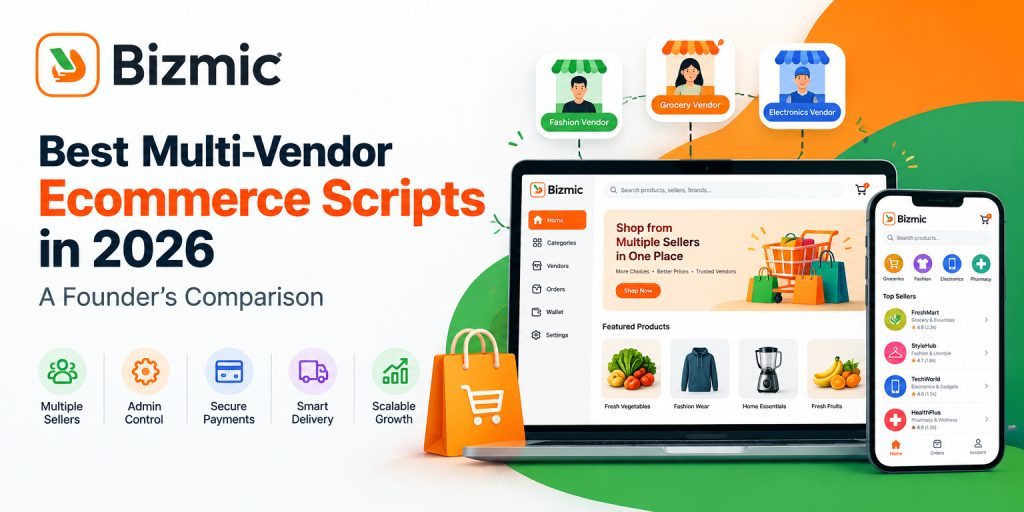
 - Best Multi-Vendor Ecommerce Script 2026: Comparison Guide
 Shiblur Rahman Lipu
 - Custom Ecommerce Website Price in BD: A Complete Cost Guide
 Shiblur Rahman Lipu
 - Ecommerce Website with bKash and Nagad Integration: Complete Guide for Bangladesh
 Shiblur Rahman Lipu
Stay Connected
for Newsletter

We build software that helps businesses launch faster, operate smarter, and grow bigger.


Get Help