Multivendor Ecommerce Website Bangladesh: Features & Cost
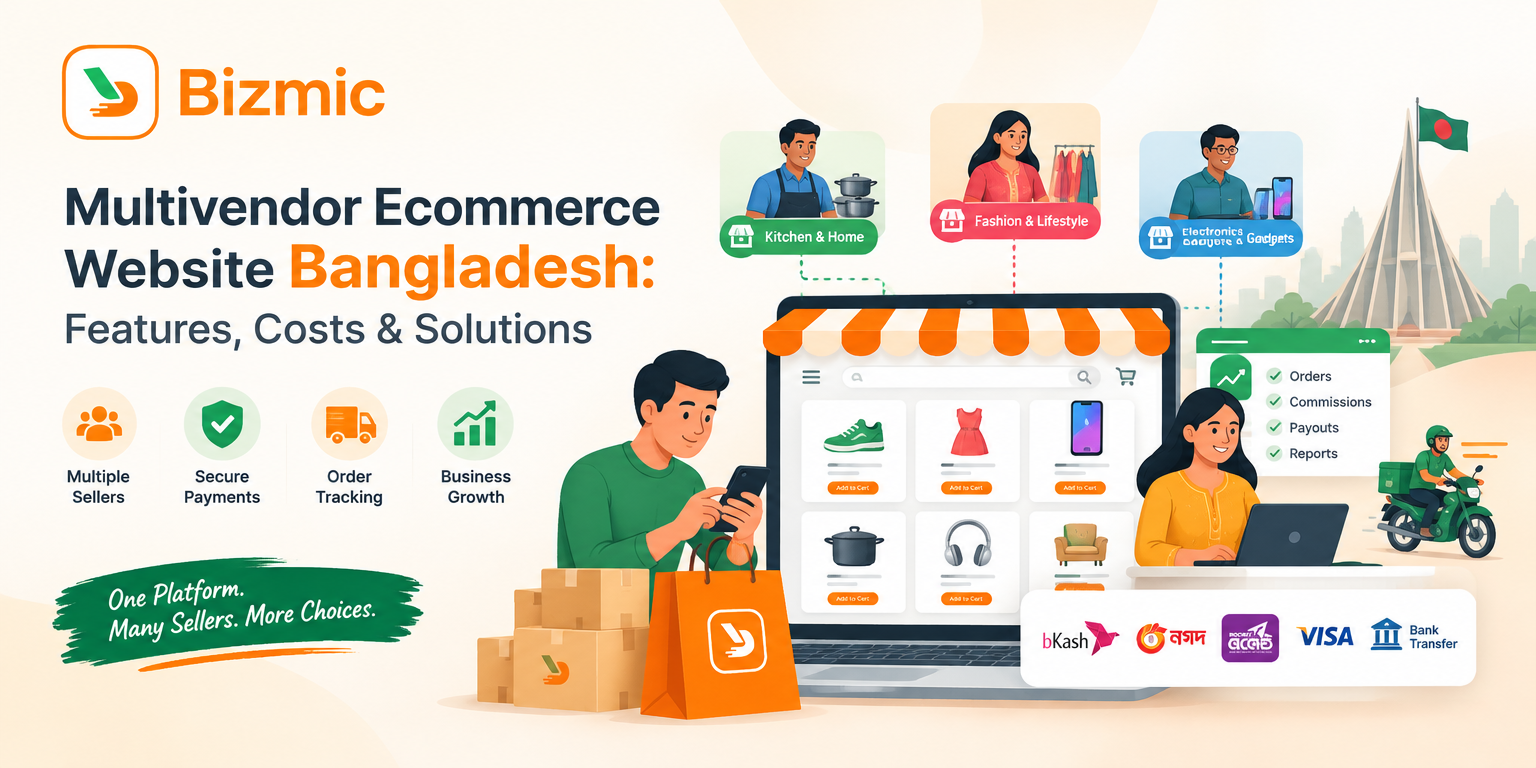
Many retailers, distributors and first-time founders in Bangladesh want to sell more than the stock they hold. A marketplace solves that problem by letting independent sellers list products on one platform while the owner manages the brand, customers and rules. Choosing the right multivendor ecommerce website in Bangladesh is therefore a business decision first and a technology decision second, because the software determines how you onboard vendors, collect payments, track orders and grow.
This guide explains how a multi-vendor marketplace works, which features are essential, how it differs from a single-vendor store, and whether to build custom software or start with a ready-made script. It also covers payment integration, cost drivers and a practical evaluation checklist, then shows where Bizmic Quick Ecommerce fits, based on what its product page states.
What Is a Multi-Vendor Ecommerce Website?
A multi-vendor ecommerce website is an online marketplace, in effect an ecommerce website for multiple sellers, where independent vendors list and sell products through one shared storefront. The marketplace owner controls the platform, vendors manage their own catalogs and orders, and customers shop from several sellers in one place.
The model has three roles:
- Marketplace owner: runs the platform, approves vendors, sets commission or subscription rules, and oversees orders, payments and support.
- Vendors (sellers): list products, manage stock and prices, process their own orders and track earnings from a personal dashboard.
- Customers: browse one storefront, compare products from different sellers, pay through the methods the marketplace offers and review what they buy.
A practical example
Imagine a Dhaka-based founder launching a home and lifestyle marketplace. A cookware supplier, a fashion boutique and an electronics reseller apply as vendors. The owner approves them, they upload products, and customers start ordering. Each seller fulfills the orders it receives, while the owner earns a pre-agreed commission on every sale. The founder never has to buy or store the inventory.
Why Build a Multi-Vendor Ecommerce Marketplace in Bangladesh?
A marketplace lets one business offer many products and serve many customer segments without buying every item itself. In Bangladesh, the model works best when it pairs a mobile-friendly storefront with familiar payment options and dependable delivery operations, backed by a vendor onboarding process that keeps quality high.
Several practical advantages explain the interest:
- Wider catalog, lower inventory risk. Vendors supply the stock, so the owner can add categories without purchasing every product.
- Flexible revenue models. Depending on the software, owners can earn through commissions, seller subscriptions, delivery fees or promotions.
- Room to start focused. A marketplace can begin with one niche, such as grocery, pharmacy or fashion, and expand into adjacent categories later.
- Growth through participation. More sellers attract more shoppers, and more shoppers attract more sellers, although this takes consistent effort to build.
Local conditions matter as much as the software. Many customers browse on smartphones, so the storefront and any apps must be fast and easy to use on mobile. Payment options should match what shoppers already trust, and delivery coverage must be realistic for the areas you promise to serve. A marketplace with a strong catalog but weak delivery operations will struggle to keep customers.
Essential Features of a Multi-Vendor Ecommerce Website
At minimum, multi vendor marketplace software needs vendor onboarding, seller dashboards, product and inventory management, order tracking, commission and payout management, payment integration and central admin control. Other features improve growth or convenience but are not required on day one.
Essential capabilities
- Vendor registration and approval: lets you screen sellers before they list products, which protects catalog quality and customer trust.
- Individual seller dashboards: give each vendor control over products, orders and earnings without access to other sellers’ data.
- Product listing and inventory management: keeps catalogs accurate, reduces overselling and supports variations such as size or color.
- Centralized marketplace administration: allows the owner to review listings, manage categories, set policies and control permissions from one place.
- Order processing and fulfillment tracking: shows each order’s status from placement to delivery, so customers and staff are not left guessing.
- Commission and seller payment management: calculates the marketplace’s share, tracks seller balances and supports withdrawal requests.
- Customer accounts, reviews and order history: encourages repeat purchases and gives shoppers confidence in unfamiliar sellers.
- Search, filtering and product discovery: helps customers find products across many vendors and categories quickly.
- Payment gateway integration: connects checkout to the payment methods your customers use.
- Shipping and delivery management: covers delivery areas, rider or courier assignment and status updates.
- Sales reporting and analytics: gives the owner visibility into revenue, commissions, refunds and vendor performance.
- Mobile-responsive design and SEO-friendly architecture: supports discovery on search engines and usability on small screens. If your team adds structured data, Google’s structured data guidelines require the markup to represent the visible page content accurately.
- Security, access control and maintenance: protects customer and seller data and keeps the platform stable through updates.
Optional and advanced features
These add value as the marketplace grows, and you can often add them after launch:
- Seller subscription plans as an alternative to commission-only revenue
- Live chat between customers, sellers and admin staff
- Coupons, flash sales and promotional campaigns
- Dedicated mobile apps for customers, sellers and delivery riders
- Multi-language and multi-currency support
- Point-of-sale tools for sellers that also run physical shops
- AI-assisted product descriptions
- Zone-based delivery rules for grocery, food or pharmacy marketplaces
Multi-Vendor Marketplace vs Single-Vendor Ecommerce Website
A single-vendor website sells one business’s own products, while a multi-vendor marketplace hosts many independent sellers under one platform. The marketplace owner manages sellers, commissions and policies instead of owning all inventory, which increases operational complexity but widens the catalog.
| Factor | Single-vendor store | Multi-vendor marketplace |
|---|---|---|
| Ownership of products | The store owner owns or sources all products | Independent vendors own their products |
| Seller management | Not required | Vendor registration, approval, dashboards and policies |
| Product sourcing | Owner buys, manufactures or imports stock | Vendors list their own stock |
| Revenue model | Direct product margin | Commissions, subscriptions, fees or a mix |
| Operational complexity | Lower: one catalog and one fulfillment flow | Higher: many sellers, settlements and disputes |
| Best suited for | Brands and retailers selling their own range | Founders and companies building a multi-seller platform, including niche marketplaces |
If you only sell your own products across one or more branches, a single-vendor system such as Bizmic’s Retail Master may suit you better than a marketplace.
Custom Development vs Ready-Made Multi-Vendor Ecommerce Solution
Teams planning ecommerce marketplace development in Bangladesh usually choose between two paths. Custom development gives maximum control but takes longer and costs more upfront, while a ready-made solution provides core marketplace modules so you can launch sooner. The right choice depends on your requirements, budget and timeline.
| Factor | Custom development | Ready-made solution |
|---|---|---|
| Initial development effort | High: every module is designed, built and tested | Lower: core modules exist; setup and configuration are still required |
| Time to launch | Usually longer | Usually shorter, depending on setup and changes needed |
| Customization flexibility | Highest, built around your exact workflow | Good within the product; deeper changes need development work |
| Maintenance responsibilities | Yours or your developer’s | Depends on license and support terms; confirm what is included |
| Upgrade options | Planned and paid for by you | Depends on the vendor’s release process and license terms |
| Scalability | Can be designed around specific growth needs | Check hosting, architecture and customization limits before committing |
| Total cost of ownership | Higher upfront, with ongoing developer costs | Lower upfront; costs depend on licensing, customization and support |
Custom development suits businesses with unusual workflows, complex integrations or long-term product ambitions. A ready-made solution suits founders who want to validate a marketplace idea, launch within a practical timeline and keep the budget under control. Many businesses combine the two by starting with a multi-vendor ecommerce solution that already covers the core modules, then adding targeted software customization as their requirements become clear.
Payment Integration for a Bangladesh-Focused Marketplace
A Bangladesh-focused marketplace should support the payment methods its customers already trust, commonly mobile financial services such as bKash, Nagad and Rocket, plus cards and bank options through a payment gateway. Integration involves more than checkout, so confirm each workflow with your software provider and payment partner.
Payment aggregators such as SSLCommerz publish developer documentation for merchants. Its integration documentation describes two styles, an embedded Easy Checkout and a redirect to a hosted payment page, along with handling of payment notifications. Requirements and approvals differ by provider, so confirm current terms with the provider directly.
A marketplace must handle four separate workflows, and each should be confirmed in writing before you commit:
- Payment collection: how customer payments reach the marketplace account.
- Commission deduction: how the platform calculates and records its share of each sale.
- Seller settlement: how and when vendors receive earnings, including withdrawal approval.
- Refunds and disputes: how returns, cancellations and chargebacks affect vendor balances.
Support for a specific payment method also depends on the software and on your merchant agreement. For example, the Quick Ecommerce product page states that it supports multiple payment gateways configurable from the admin panel, but it does not list individual Bangladeshi providers. Ask which gateways work out of the box and which need additional work. Bizmic also offers API integration services covering payment gateways and other systems.
How Much Does a Multi-Vendor Ecommerce Website Cost in Bangladesh?
There is no single price, because cost depends on whether you license a ready-made script or commission custom development, and on how much customization, integration and support you need. Plan for upfront costs and ongoing operating costs separately so you can compare quotations fairly.
Main cost drivers
- Software licensing or development: a license fee for a ready-made product, or developer time for a custom build.
- Customization: changes to workflows, features or reports beyond the standard package.
- Design and branding: storefront theme, logo, banners and user experience adjustments.
- Integrations: payment gateways, SMS providers, courier services, maps and accounting tools.
- Hosting and infrastructure: servers, security certificates, backups and monitoring that grow with traffic.
- Mobile applications: customer, seller and delivery apps, which may be included, customized or built separately.
- Maintenance and support: bug fixes, security updates and technical assistance.
- Future enhancements: new features, additional languages, more vendors and rising order volume.
Upfront cost vs ongoing cost
Upfront costs cover licensing or development, setup, design and integration. Ongoing costs include hosting, support, updates, payment processing fees, marketing, and staff for vendor management, customer service and delivery coordination. First-time founders often underestimate the ongoing category.
Quick Ecommerce is sold as a script with source files, documentation and installation packages through CodeCanyon, and the product page links to pricing information. Because installation and customization needs differ, review that information and then request a tailored quotation based on your scope instead of relying on a generic estimate.
How to Choose the Right Multi-Vendor Ecommerce Platform
Choose a platform by testing it against your real operating model: how vendors join, how money moves, how admins stay in control and how the system will grow. Request a demo and walk through each requirement below before you decide.
Use this decision checklist:
- Vendor and product management: Can you approve sellers, review products and set category rules?
- Payment and settlement: Does it support the gateways you need, plus commissions, wallets or withdrawals, and refunds?
- Admin controls: Are roles, permissions and platform-wide settings granular enough for your team?
- Performance and mobile usability: Does the storefront load quickly and work well on smartphones?
- Security and data protection: How are logins, customer data and payments protected, and how are security updates delivered?
- SEO capabilities: Can you edit page titles, meta data, categories and content without developer help?
- Integration requirements: Can it connect to the SMS, map, courier, accounting or other tools you rely on?
- Technical support: What support is included, for how long and through which channels?
- Ownership, licensing and upgrade terms: Do you receive source code, what does the license allow and how are upgrades handled?
- Future expansion: Can you add vendors, zones, languages, apps or branches without rebuilding?
Launch Your Marketplace with Bizmic Quick Ecommerce
Bizmic Quick Ecommerce is a React-based multi-vendor marketplace script. According to its product page, the package includes an admin panel, seller panel, React user website, customer app, seller app and deliveryman app, so a marketplace owner does not need to assemble separate tools for each role.
How its stated features map to marketplace requirements
| Marketplace requirement | What the Quick Ecommerce page states |
|---|---|
| Vendor onboarding and seller control | Each seller gets a panel to manage products, orders and inventory, while the admin controls platform-wide settings |
| Product moderation | Admin can review, approve, edit or remove any listed product |
| Commission and seller revenue | Commission settings per store type, plus a Subscription Module as an alternative to commission-only revenue |
| Seller and rider payouts | Wallet Module and store-wise withdrawal management for sellers and deliverymen |
| Delivery operations | Zone setup for delivery areas and a deliveryman app for order tracking, route management and delivery confirmation |
| Order management | Centralized dashboard tracking each order from placement to delivery |
| Admin access control | Roles and permissions across admin, seller and staff accounts |
| Reporting | Dashboard covering sales, revenue, commissions and refunds |
| Payments and notifications | Multiple payment gateways and SMS gateways configurable from the admin panel, plus push notifications |
| SEO and content | SEO-optimized React website, blog management and dynamic pages |
| Customer experience | Reviews, coupons, flash sale campaigns, live chat, multi-language and right-to-left support |
Everything in the table comes from the product page. Confirm current versions, availability and any customization needs with Bizmic before you buy.
Who it suits
The page positions Quick Ecommerce for grocery, food, pharmacy, pet supply and general retail marketplaces, and says the category structure can be customized from the admin panel. It names startups, new marketplace founders and growing SMEs in Bangladesh among its target users. If you plan a very large general-merchandise marketplace, review the demo panels carefully and discuss your scale and customization needs with Bizmic first.
The launch path
The page outlines four steps: purchase the package from CodeCanyon, install and configure it, set up zones and subscription or commission plans before inviting sellers, then go live and grow. If you prefer expert help, Bizmic lists software installation and maintenance and support services.
A ready-made script reduces build effort, but it does not replace vendor acquisition, logistics partnerships or payment provider approvals, so plan those in parallel.
Ready to evaluate it? View the Quick Ecommerce demos and feature list or contact the Bizmic team to discuss your marketplace plan and request a tailored quotation.
Conclusion
The right multi-vendor marketplace platform balances five things: how vendors are onboarded, how money moves, how much control the admin has, how quickly you need to launch and how far you expect to grow. Compare custom and ready-made options against your budget, test payment and settlement workflows early, and plan for ongoing maintenance, not only launch day.
If you want a ready-made starting point, explore Bizmic Quick Ecommerce and check its demo panels against the checklist above. If you need help with scope, installation or customization, talk to the Bizmic team for a tailored discussion and quotation.
Frequently Asked Questions
Start by defining your product categories, vendor model and delivery coverage. Then choose between custom development and a ready-made marketplace script, set up payment gateways, configure commissions and onboard a small group of vendors before launch. Test checkout, order handling and seller payouts thoroughly, and plan marketing and customer support alongside the technical build.
The cost depends on licensing or development, customization, design, integrations, hosting, mobile apps and ongoing support. A ready-made script usually needs less upfront investment than a fully custom build, but your scope decides the final figure. Ask for a written quotation that separates one-time costs from recurring costs.
A regular ecommerce website sells products owned or sourced by one business. A multi-vendor website lets many independent sellers list and manage their own products, orders and earnings, while the owner administers the platform and typically earns commissions or subscription fees. The marketplace model adds vendor onboarding, settlement and dispute management to the workload.
You can build a marketplace with a similar model, meaning many sellers, many categories and a shared checkout, using custom development or a ready-made script. Matching an established marketplace such as Daraz or Amazon at scale also requires logistics, vendor supply, marketing budget and customer trust, which software alone cannot provide. Starting with a focused niche is usually more practical.
Consider mobile financial services such as bKash, Nagad and Rocket, card and bank payments through a payment gateway, and cash on delivery if your logistics can handle it. Choose methods based on your customers and product categories, then confirm with your software provider and payment partner how each one handles commissions, settlements and refunds.
Often yes, but the extent depends on the product, its license and the quality of its code. Check whether you receive source code, what the admin panel lets you configure without development, and who performs deeper changes. Quick Ecommerce is sold with full source files, and Bizmic lists customization services for additional modules or workflow changes.
Owners set commission rules in the platform, let the system calculate each sale’s share, and track seller balances for withdrawal or payout. Some platforms also offer subscription plans as an alternative. Quick Ecommerce lists commission settings by store type, a subscription module and withdrawal management, so confirm the exact workflow in its demo.
More Posts
- Readymade Marketplace Website in Bangladesh: Complete Guide
 Shiblur Rahman Lipu
 - Vendor Management System for Ecommerce: Complete Guide
 Shiblur Rahman Lipu
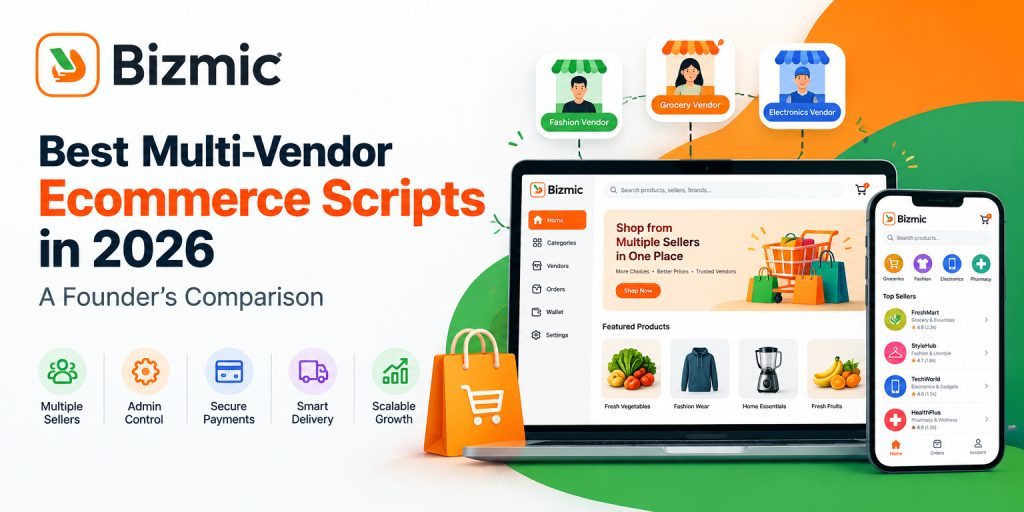
 - Best Multi-Vendor Ecommerce Script 2026: Comparison Guide
 Shiblur Rahman Lipu
 - Custom Ecommerce Website Price in BD: A Complete Cost Guide
 Shiblur Rahman Lipu
 - Ecommerce Website with bKash and Nagad Integration: Complete Guide for Bangladesh
 Shiblur Rahman Lipu
Stay Connected
for Newsletter

We build software that helps businesses launch faster, operate smarter, and grow bigger.


Get Help